> For the complete documentation index, see [llms.txt](https://dataqueue.gitbook.io/voicehub-docs/llms.txt). Markdown versions of documentation pages are available by appending `.md` to page URLs; this page is available as [Markdown](https://dataqueue.gitbook.io/voicehub-docs/organizations/organization-level-knowledge-bases.md).
# Organization-Level Knowledge Bases
We are introducing **Organization-Level Knowledge Bases (KBs)** to allow users to **share the same KB across multiple agents** within an organization.
### Overview
* **Purpose:** Enable a single KB to be used by all agents in an organization.
* **Scope:** Owned by the organization, accessible to every agent in that org.
* **Functionality:** Supports all types and capabilities of a standard agent KB.
### Permissions
To access the list, users must have the following permission:
* `Manage KnowledgeBase`
#### Default Access
By default, the following roles have access to the organization knowledge bases:
* **Owner**
* **Admin**
Access can be extended to other roles by granting the `Manage KnowledgeBase` permission.
### How to Use
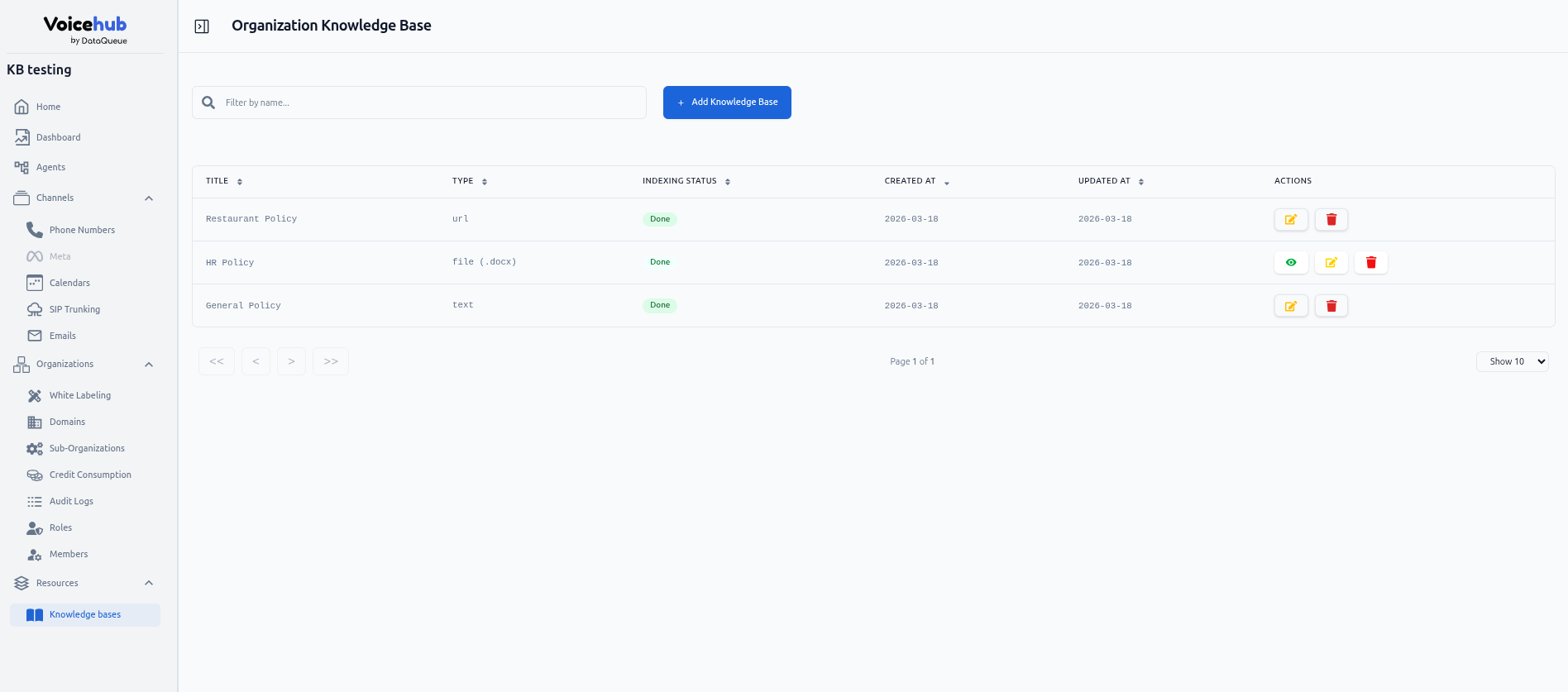
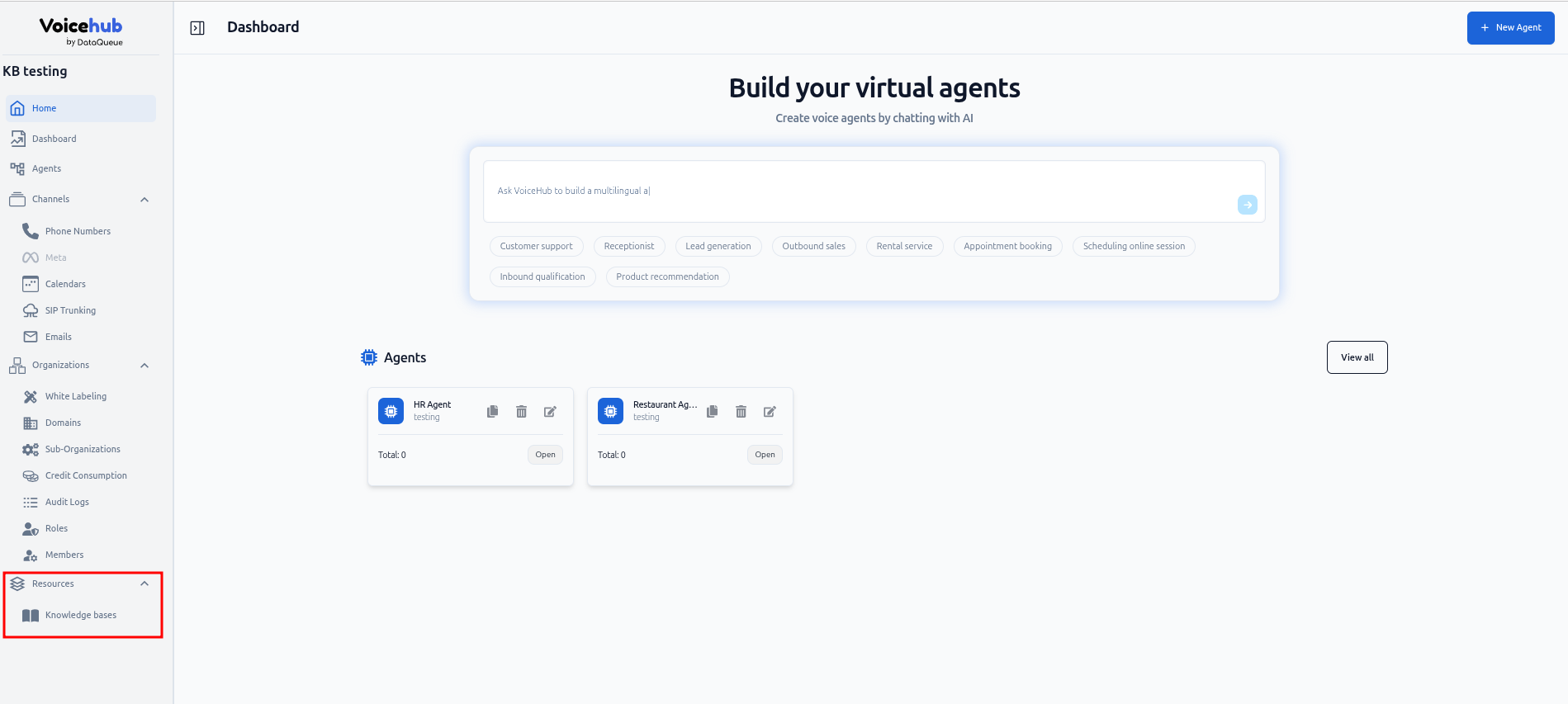
1. **Navigate to the KB list:**\
Go to **Resources → Knowledge Bases** in the homepage sidebar.
2. **Manage Organization KBs:**\
From this view, users with the proper permission can:
* **Upload new KBs**
* **Modify existing KBs**
* **View KB content and details**
* **Delete KBs**
### Using Organization KBs in Agents
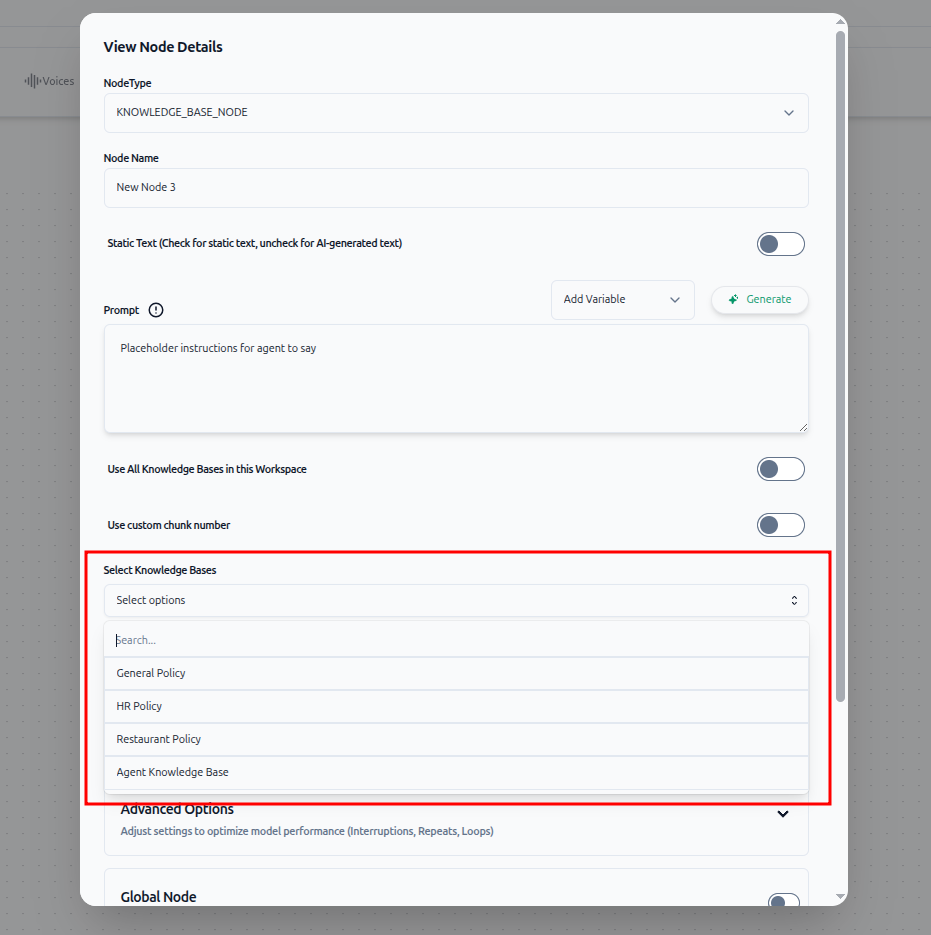
* **Automatic Inclusion:**\
Organization KBs automatically appear in the **Knowledge Base dropdown** in the agent interface:
* **Global Node**
* **Knowledge Base Node**
* **Combination with Existing KBs:**\
Agents can use both organization KBs and their own local KBs simultaneously.
* **Modifications:**\
Any changes to organization KBs **must be made in the Resources → Knowledge Bases tab**.\
Modifications from individual agents are not allowed.
This ensures consistent knowledge across agents while centralizing management for organizational administrators.