> For the complete documentation index, see [llms.txt](https://dataqueue.gitbook.io/voicehub-docs/llms.txt). Markdown versions of documentation pages are available by appending `.md` to page URLs; this page is available as [Markdown](https://dataqueue.gitbook.io/voicehub-docs/organizations/organization-audit-log.md).
# Organization Audit Log
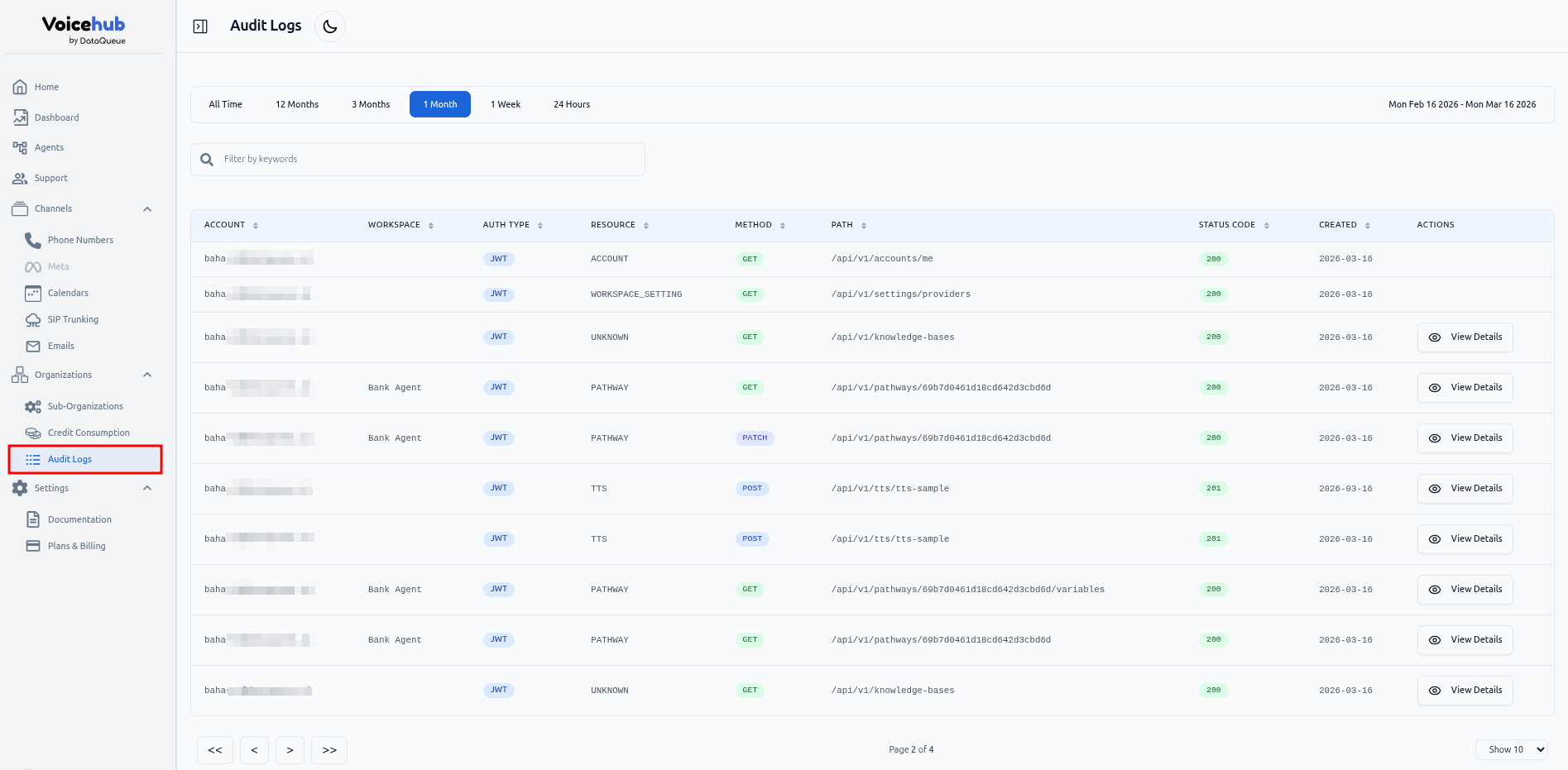
The **Organization Audit Log** allows organization administrators to track API activity and user actions within their organization.
### Overview
The audit log provides a detailed record of all API requests and user actions. This helps with security, troubleshooting, and compliance by maintaining a history of who did what and when.
### Permissions
To access the list, users must have the following permission:
* **`viewAuditLog`**
#### Default Access
By default, the following roles have access to the audit log:
* **Owner**
* **Admin**
Access can be extended to other roles by granting the `viewAuditLog` permission.
### What’s Displayed
In the audit log table, the following information is shown:
| Field | Description |
| ------------------------ | ------------------------------------------------------------------------------------------------------------------------------------------------------------------------- |
| **Account** | The email of the user performing the action. If the request uses an API key, no user is shown. |
| **Workspace (optional)** | If the request is workspace-specific, the workspace is shown. |
| **Auth Type** | Shows whether the request was made using an **API key** or a **logged-in JWT**. |
| **Resource** | The name of the controller handling the request. This identifies which part of the system the action relates to. |
| **Method** | The HTTP method used for the request (e.g., GET, POST, PUT, DELETE). |
| **Path** | The URL path of the API request. |
| **Status Code** | The HTTP status code returned by the API request. |
| **Created** | The date when the API request was recorded in the audit log. |
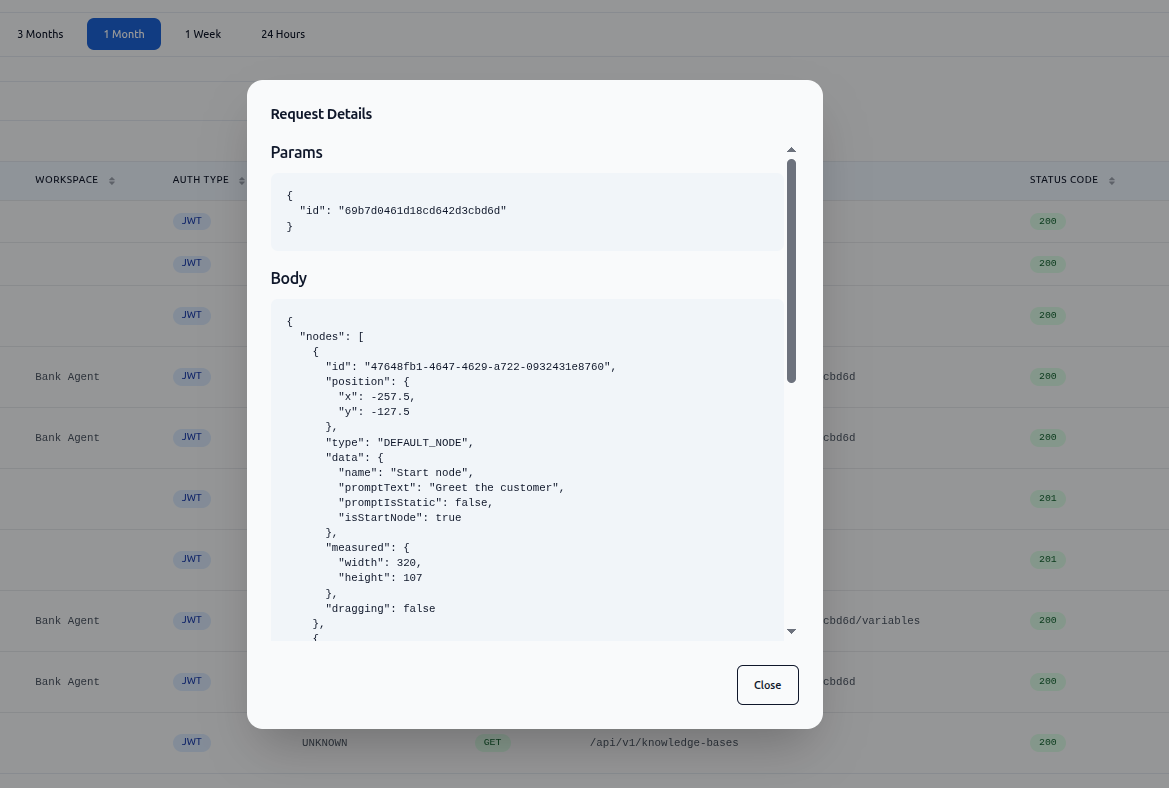
| **Actions** | Provides additional actions such as **View Details**. The details view includes the full request data: **body, query parameters, path parameters, and selected headers**. |
### How to Use
1. Navigate to **Organization → Audit Logs**.
2. Browse the list of actions performed within your organization.
3. Click **View Details** for any log entry with a payload to see the full request content.
#### Search
The search functionality applies to the following fields:
* **API Endpoint Path**\
Example: `/api/v1/pathways` (partial search supported)
* **Account by ID**\
Example: `6885c7aa9debb6f321855c2d`
* **Workspace by ID**\
Example: `68987795c090f4ae5e94abc2`
You can enter any of these values in the search bar to filter matching log entries.
This gives administrators full visibility into system activity and helps ensure accountability and traceability.