> For the complete documentation index, see [llms.txt](https://dataqueue.gitbook.io/voicehub-docs/llms.txt). Markdown versions of documentation pages are available by appending `.md` to page URLs; this page is available as [Markdown](https://dataqueue.gitbook.io/voicehub-docs/api-reference/introduction.md).
# Introduction
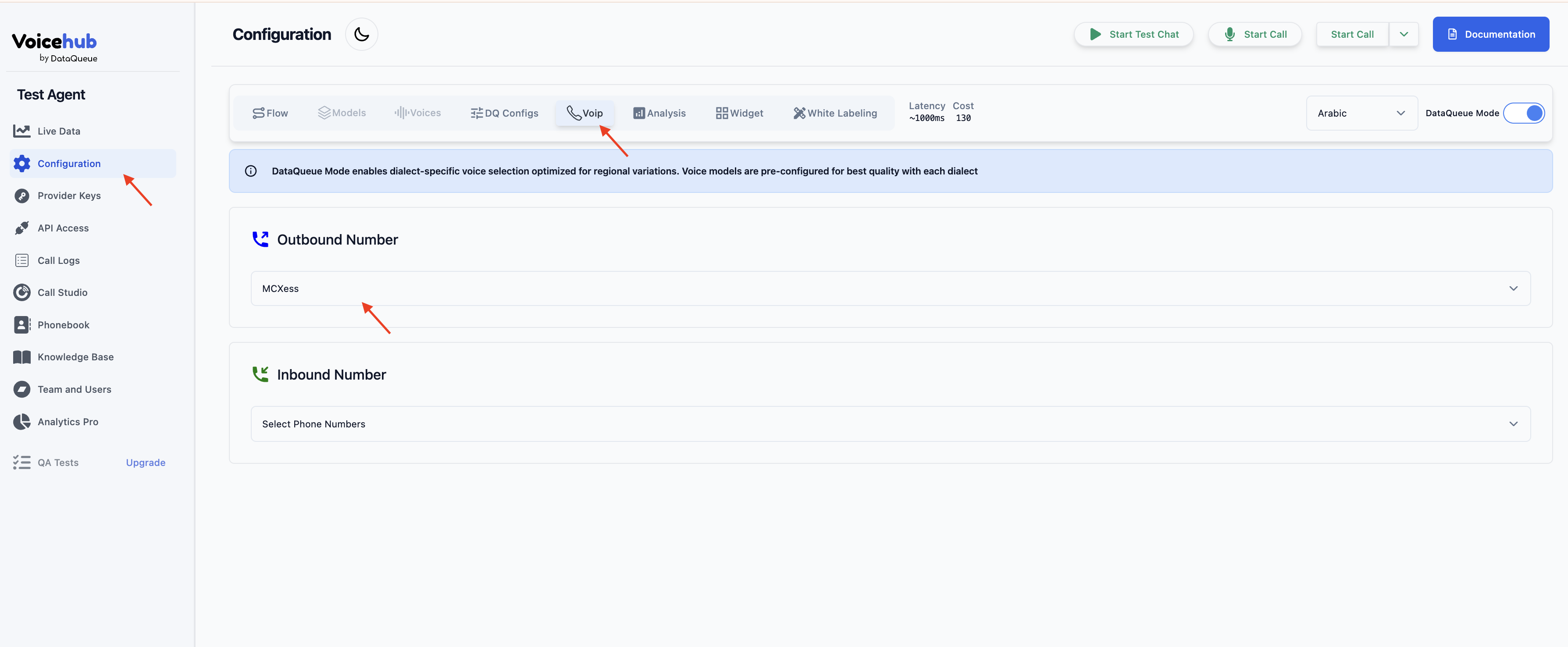
Calls API triggering is now supported to trigger outbound VOIP calls. Outbound VOIP configs need to be done on the agent at first and then API Key needs to be copied and used for those api calls.
#### Configuring VOIP Outbound
Under the Configuration Menu, there is a VOIP config tab that is used to select an outbound phone number/provider. Once configured, triggering API can be used along with the API key to trigger outbound voip calls
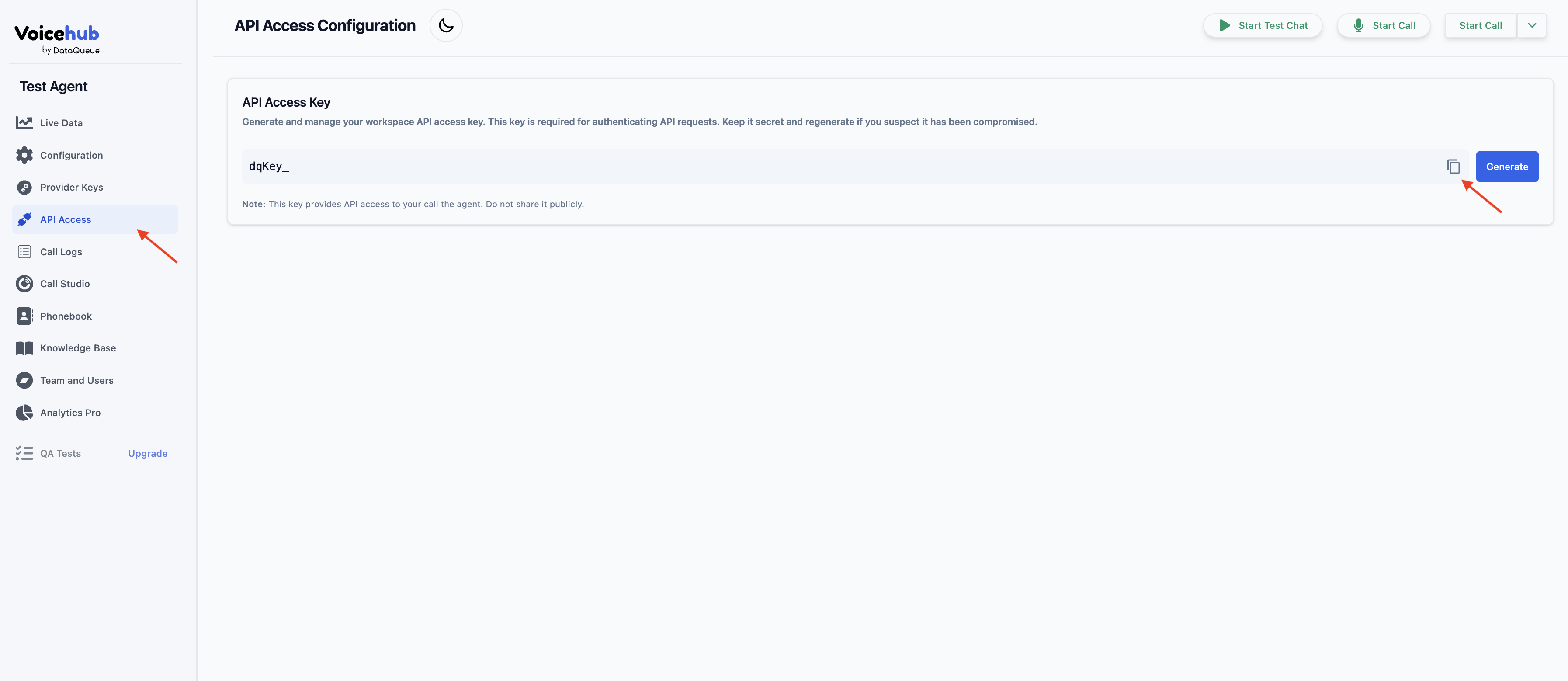
#### Generating API Key
Going to your agent page, there is a section where you can get an api key to be used for triggering calls using that agent.