> For the complete documentation index, see [llms.txt](https://dataqueue.gitbook.io/voicehub-docs/llms.txt). Markdown versions of documentation pages are available by appending `.md` to page URLs; this page is available as [Markdown](https://dataqueue.gitbook.io/voicehub-docs/agent-design-and-usage/pathway-versioning.md).
# Pathway Versioning
**Pathway Versioning** allows workspaces to maintain multiple versions of a pathway, enabling safe development, testing, and publishing workflows without impacting the live production pathway.
### Overview
With pathway versioning, users can:
* Create new versions of a pathway for development and testing.
* Test changes in non-production environments using the **Start Call** button.
* Promote a tested version to **production** once confirmed.
This ensures that production pathways remain stable while allowing experimentation and iteration.
### Permissions
Pathway versioning actions are controlled by the following permissions:
* **`Pathway Publish Access`** – Allows a user to publish new versions of a pathway.
* **`Settings Full Access`** – Allows a user to create new versions of a pathway, but **does not allow publishing** unless the user also has Pathway Publish Access.
#### Default Access
By default, the following roles have these permissions:
* **Owner** – Settings Full Access + Pathway Publish Access
* **Admin** – Settings Full Access + Pathway Publish Access
Other roles can be granted these permissions as needed.
> Note: Users with only Settings Full Access can create versions of pathways but cannot publish them without Pathway Publish Access.
### Key Rules
1. **Production Pathway Enforcement**
* All non-test calls go to the **production pathway** (VOIP calls, widget calls, text calls, WhatsApp calls, etc.).
* Only calls started via the **Start Call** button in the top right can use non-production pathways.
2. **Immutable Production Pathway**
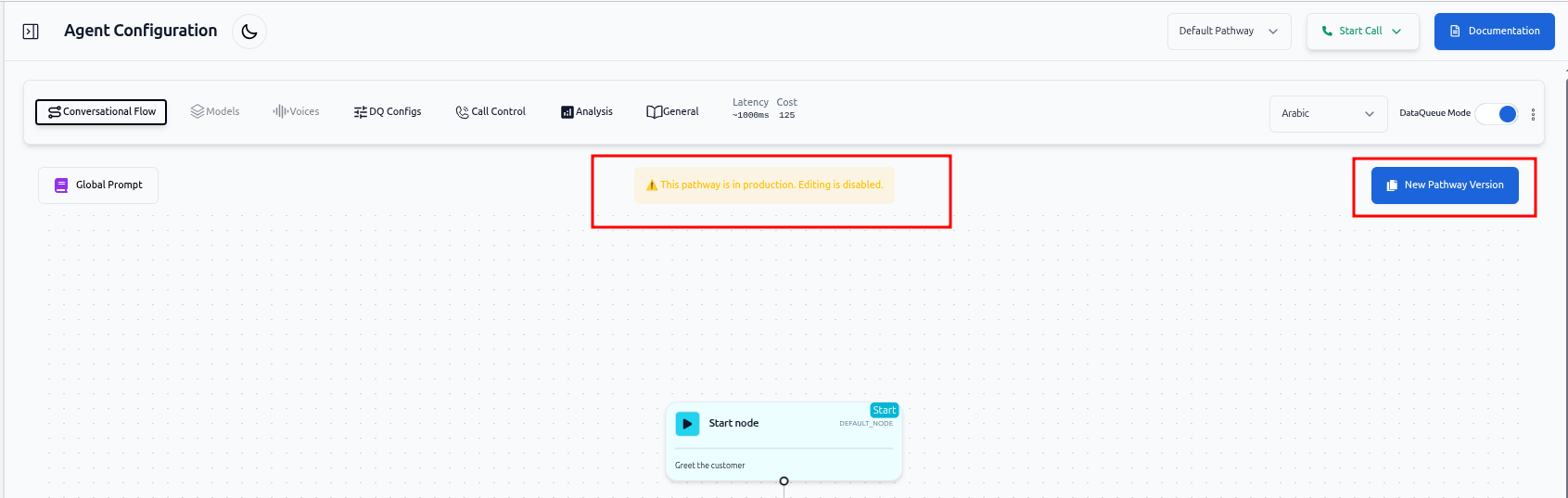
* The current production pathway **cannot be edited** directly.
* Past production pathways also **cannot be edited** directly to ensure safe fallback.
* To make changes, create a new version, edit it, and publish it to production.
3. **Single Production Pathway per Workspace**
* Each workspace only have **one production pathway** at a time.
* The current production pathway is highlighted in the pathway selection dropdown, and shown in the General configuration section.
### Enabling Pathway Versioning
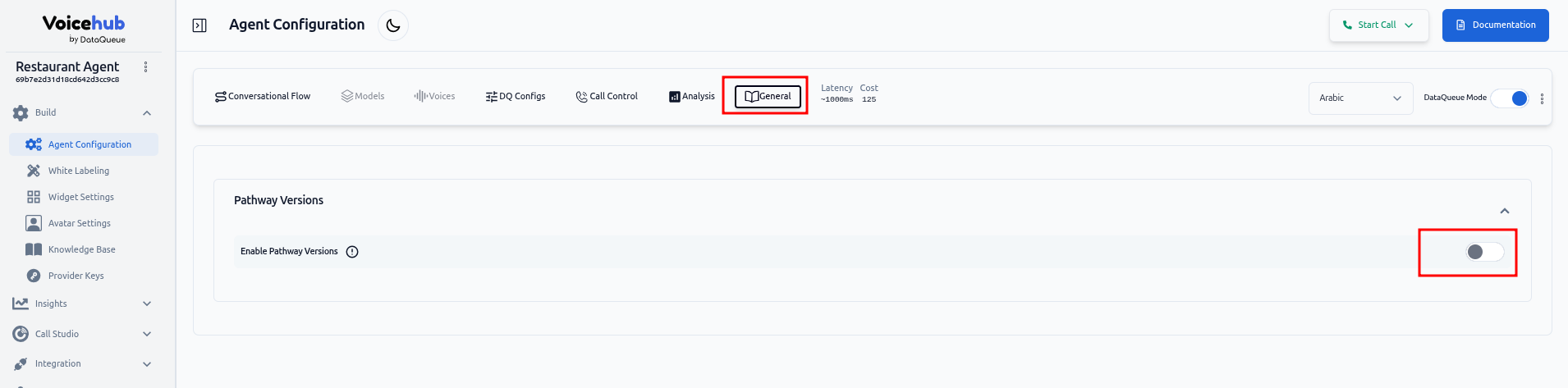
1. Navigate to **Agent Configuration → General**.
2. Toggle **Enable Pathway Versioning**. (Default: OFF)
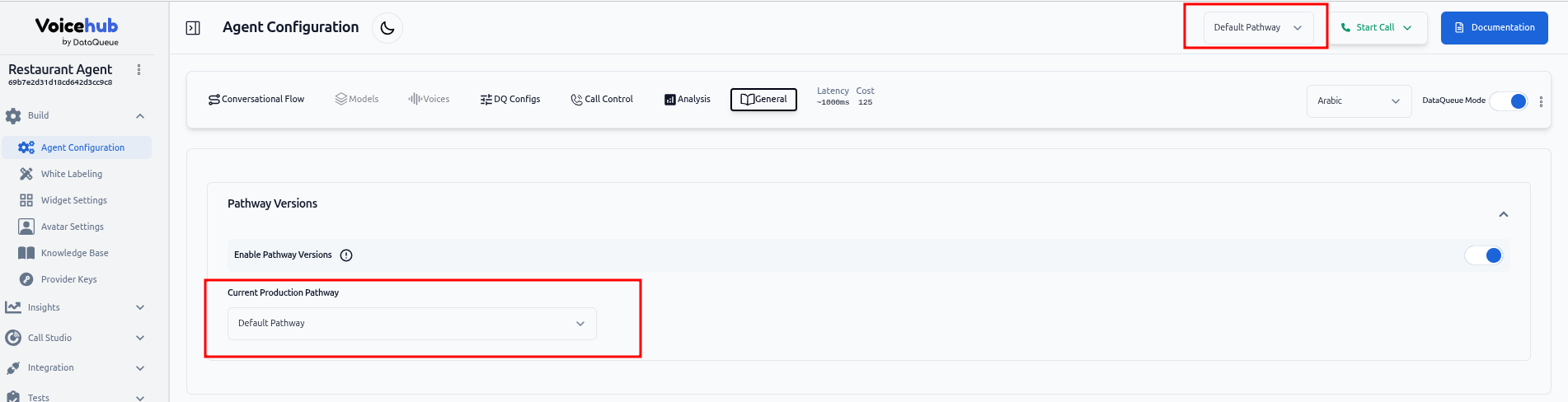
3. When enabled:
* The current pathway is promoted to **production**.
* A list of available pathway versions is displayed. Selecting a version in this dropdown will publish it to production.
* The **Publish Pathway** action is available also in the **Pathway tab**.
Before
After
### Managing Pathway Versions
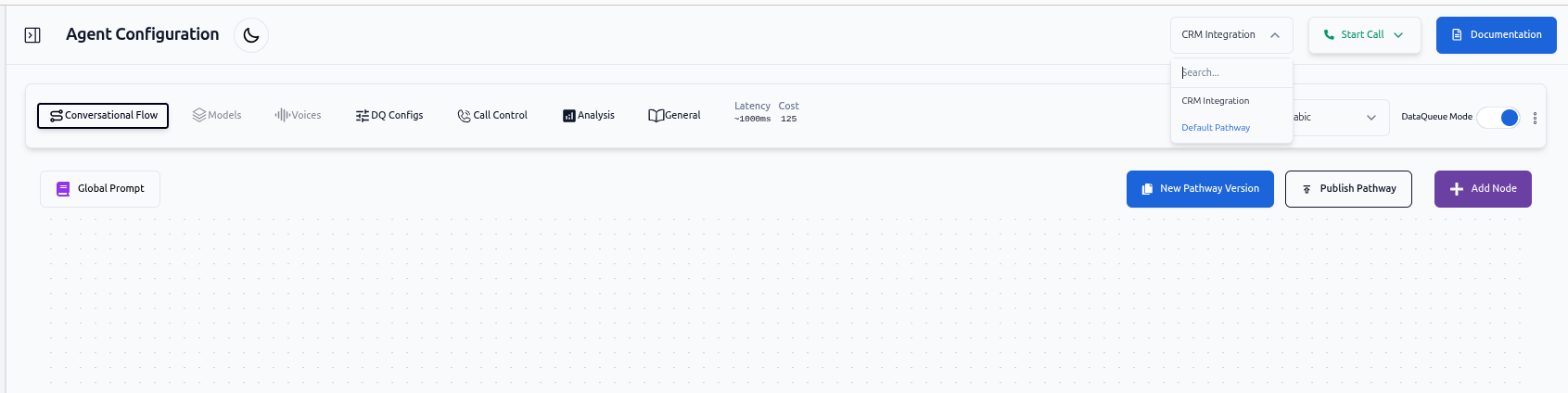
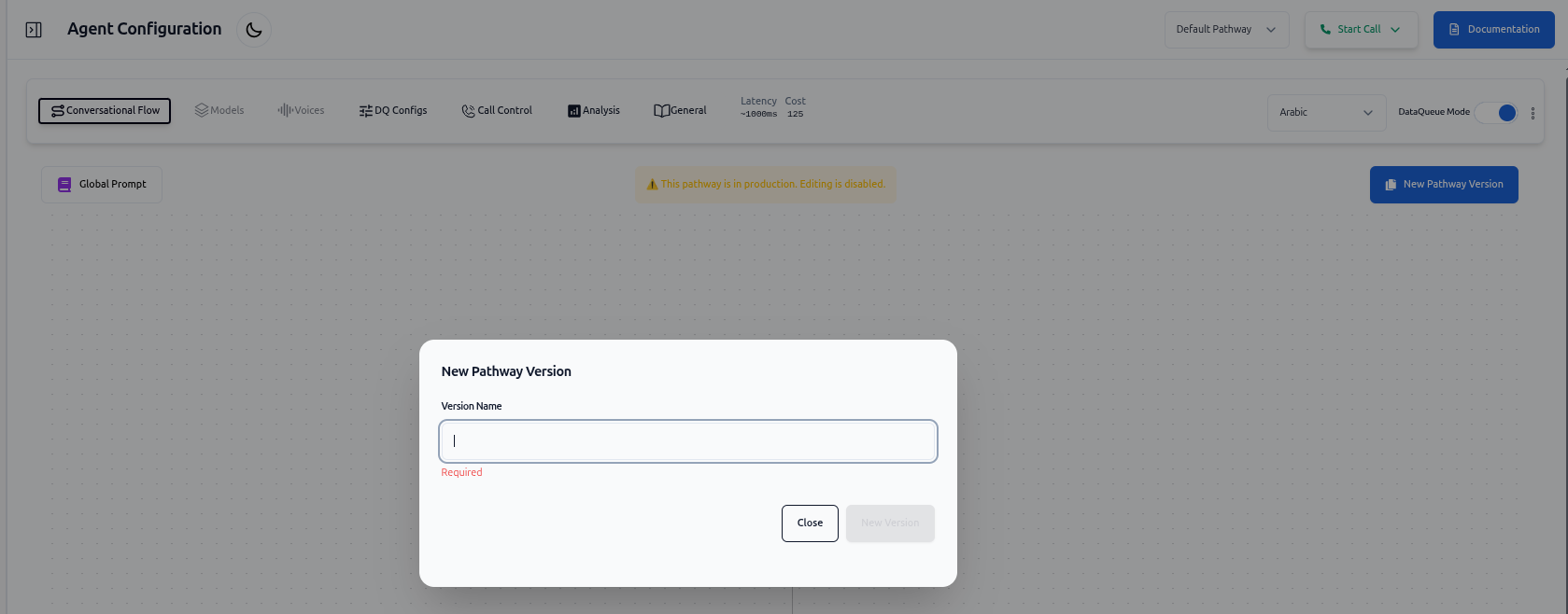
* **Creating a New Version**
* Users can create a new pathway version from the **currently selected pathway**.
* A **version name** must be provided.
* Each pathway under the workspace must have a **unique** version name.
* **Editing & Publishing**
* Previously published pathways cannot be edited but can be copied to create a new version or published again.
* Publishing a pathway automatically **demotes all other pathways** to ensure exactly **one production pathway** at all times.
* **Switching Between Versions**
Using the dropdown menu which appears next to the "Start Call" button in the header, users can:
* View the **currently selected pathway version**.
* **Switch between available versions** for modification.
* Select which version should be used when starting a test call.
### Disabling Pathway Versioning
Users can disable pathway versioning at any time from **Agent Configuration → General**.
When versioning is turned off:
* The **current production pathway** becomes the active pathway.
* This pathway is now **fully editable**.
* All other pathway versions are **retained but hidden**.
* Hidden versions will become visible again if pathway versioning is re-enabled.
> Note: Disabling versioning does **not delete** any existing pathway versions—it only hides them from the UI.
### Testing Pathways
* Non-production versions can be tested by starting a call from the **Start Call** button in the header.
* The **currently selected pathway version** will be used for test calls.
### Benefits
* Safe development of new pathways without affecting production.
* Easy testing workflow for QA and agents.
* Clear version control and promotion to production.